If you use Instagram a lot, you’ve probably typed out the same replies again and again—“Thank you!”, “Yes, available!”, “I’ll get back to you!”, “Where are you located?” That’s exactly how most creators, business owners, and casual users discover something called Instagram DM Shortcuts. The first time you see someone reply instantly with a perfect message, it almost feels like magic… until you realize they’re using shortcuts.
Quick Answer:
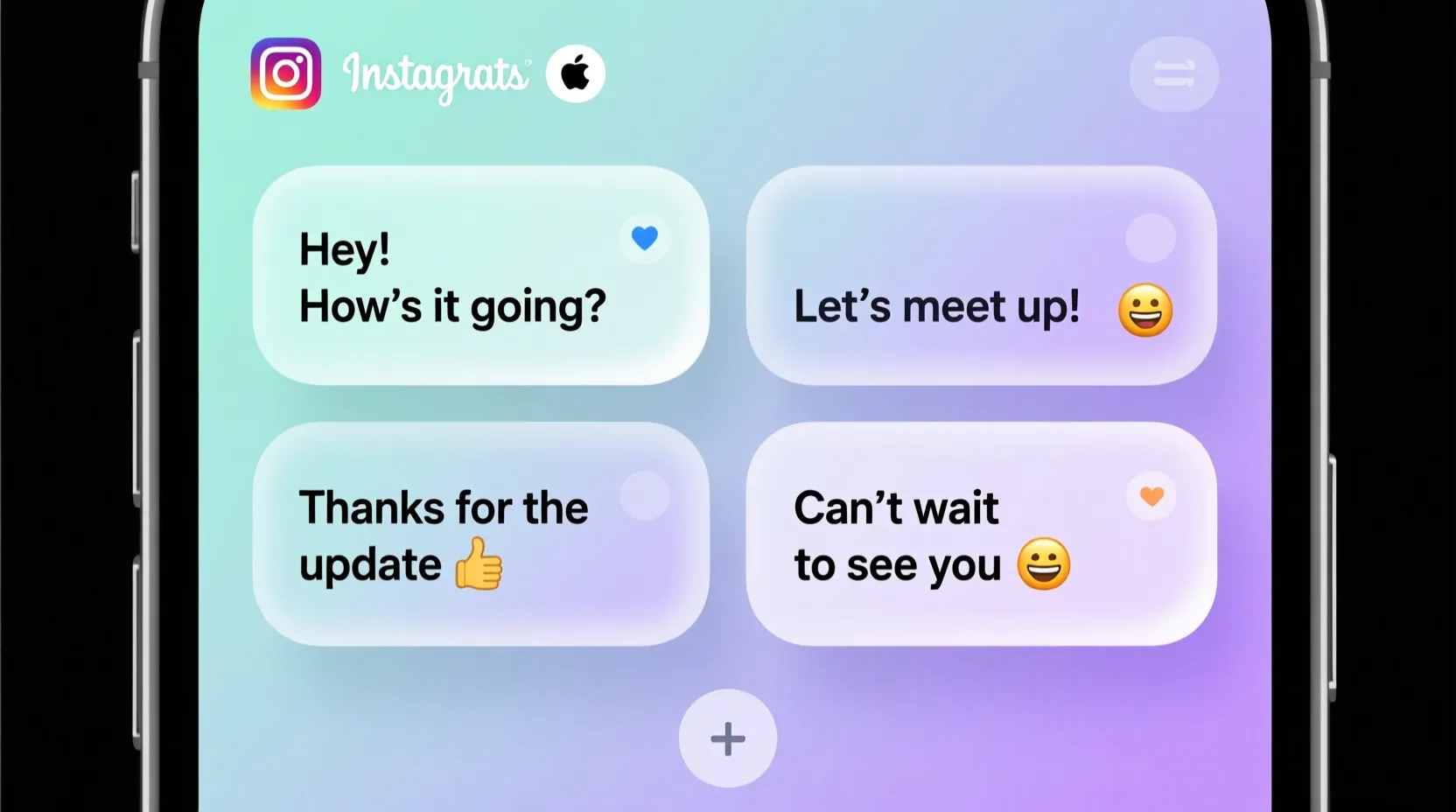
Instagram DM Shortcuts are pre-saved quick reply messages that let you send long or frequently used responses in one tap. They’re a fast, convenient, and time-saving way to respond in DMs—especially for creators, brands, online sellers, and busy users.
🧠What Does Instagram DM Shortcuts Mean in Text?
Instagram DM Shortcuts (also called Quick Replies) are pre-written messages that you can save inside the Instagram app. Instead of typing the same thing repeatedly, you type a short keyword (like “tysm1”) and it instantly expands into a full message, such as:
“Thank you so much for reaching out! How can I help you today?”
It works like a text shortcut that turns a tiny code into a complete response.
Example:
You type: avail?
It automatically becomes: “Yes, this item is available!”
In short:
Instagram DM Shortcuts = Quick Replies = Fast pre-saved messages to speed up your DMs.
📱 Where Are Instagram DM Shortcuts Commonly Used?
Instagram DM Shortcuts are especially popular in these spaces:
- 📸 Instagram DMs (main use)
- 🛍️ Instagram Shops / Sellers
- 💼 Small businesses taking orders
- 🤳 Influencers + creators replying to fans
- 📣 Customer support chats
- 🙋 Anyone who gets repeated questions
Tone:
They are casual, friendly, and semi-professional depending on the message you save. You can tailor them to your style—short, formal, flirty, humorous… whatever fits your brand.
💬Examples of Instagram DM Shortcuts in Conversation
Here are realistic chat examples using shortcuts:
A: hi! is this still available?
B: types “av1” → “Yes, it’s available 😊”
A: thank you for responding!
B: “ty1” → “Thank you so much for your message!”
A: do you ship worldwide?
B: “ship1” → “Yes! We ship internationally 🌍”
A: how long does delivery take?
B: “del1” → “Delivery usually takes 3–5 working days.”
A: can you send prices?
B: “price1” → “Sure! Here’s our full price list 👇”
A: hey i love your content!!
B: “fan1” → “Thank you so much!! I appreciate you 💛”
A: hi what’s your location?
B: “loc1” → “We’re based in Lahore 📍”
🕓When to Use and When Not to Use Instagram DM Shortcuts
✅ When to Use
- When answering FAQ-style questions
- When replying to many customers at once
- When you want to sound consistent and professional
- When saving time is important
- When you’re managing a shop, page, or creator account
❌ When Not to Use
- When someone sends a personal or emotional message
- When you need to give a custom response
- When chatting with friends casually
- When a message needs to be urgent, serious, or sensitive
📊 Comparison Table
| Context | Example Phrase | Why It Works |
| Friend Chat | “hey! one sec, typing ✨” | Feels personal, not robotic |
| Work Chat | “Yes, happy to help with this.” | Professional tone |
| Instagram DMs | “Yes, it’s available 😊” (Shortcut) | Fast + consistent |
| Customer Inquiry | “Here’s our updated price list 👇” | Clear & informative |
| “Please find the details attached.” | Formal + polished |
🔄Similar Slang Words or Alternatives
| Term | Meaning | When to Use |
| Quick Reply | Saved message | Business or creator accounts |
| Auto-Reply | Automated message | When offline or busy |
| DM Template | Reusable message format | Customer support |
| Canned Response | Pre-made response | Professional communication |
| Shortcut Text | Phone keyboard shortcut | Everyday texting |
❓FAQs About Instagram DM Shortcuts
1. Are Instagram DM Shortcuts available for everyone?
Yes, they’re available for business and creator accounts. Regular personal accounts may not see the feature.
2. Can I customize the shortcuts?
Absolutely! You can create, edit, and save any message you want.
3. Can shortcuts include emojis?
Yes — emojis work perfectly in shortcuts.
4. Do they work on desktop?
Quick Replies currently work best on the Instagram mobile app.
5. Are Instagram DM Shortcuts automated?
No, they’re manual shortcuts. You still tap to send them.
6. What’s the difference between Quick Replies and Auto-Replies?
Quick Replies = manual
Auto-replies = automatic messages triggered by activity
🏁 Conclusion
Instagram DM Shortcuts are one of the simplest but most powerful tools Instagram offers—especially if you’re a creator, seller, or someone who gets a lot of repeated messages. They save time, keep your replies consistent, and make your conversations feel smoother and more professional. Once you set up your shortcuts, you’ll wonder why you ever typed everything manually.
Whether you’re handling customer inquiries, responding to fans, or managing a small business, shortcuts help you reply faster without losing your personal touch.
Digital Communication Shortcuts

Mark Twain was born in Florida, Missouri, and grew up in Hannibal, a town along the Mississippi River that later inspired many settings in his famous novels. After his father’s death, Twain left school early and worked as a printer, riverboat pilot, journalist, and lecturer experiences that deeply influenced his writing.